UniFind
The digital layer of your campus.
Brand identity and product design for a campus companion app that helps students, staff and visitors find places, people, classes and events, and get there.
- Role
- Brand identity, design system, product design
- Year
- 2026
- First campus
- University of Uyo, Town Campus
Showcase
Problem
Finding things on campus still runs on word of mouth.
Freshers walk in circles, students miss exams in unfamiliar halls, and lecturers spend the day answering one call: “Sir, where are you?” UniFind started with students who couldn’t find their supervisors.
Freshers
Find their faculty, lecture halls and library on day one.
Students
Find a supervisor, an exam venue, or somewhere to print before class.
Lecturers
Publish their office and hours once, instead of taking calls all day.
Visitors
Find one place, fast, with no account.
One design for a 16-year-old fresher and a 55-year-old lecturer, outdoors in bright sun, on a low-end Android phone with patchy data.
Key decisions
01
Building level, not room level
Phone GPS on campus is accurate to about 10–30 m: right for buildings, wrong for rooms. Routes end at the building; rooms and offices are text on its card.
02
Staff publish once
Verified lecturers set their office, a one-tap status and their hours. Students search a name and get Directions. No phone number unless the lecturer chooses.
03
Exam venues as the signature moment
On exam day a student types “CSC 401 exam” and gets the venue, a countdown and a route. If the venue moves, everyone who saved it gets an urgent notice.
04
Calm first use
No tour, no pop-ups, no forced sign-up. Location is asked only on Directions, sign-in only when you save, payment only inside Book an ad.
05
Built for the phones people have
A browser app that opens from a QR code or WhatsApp link. Search works before the map loads, glass falls back to solid on weak phones, animations can be switched off, and the core works offline.
Brand
On a Nigerian campus the hardest things to find are not on any map.
A supervisor’s office, today’s exam venue, the printing press that is open now. UniFind turns that word-of-mouth knowledge into one calm, trusted place.
- Where · The campus map
- When · Your schedule
- Who · Verified directory
- What’s happening · Events and changes
- What’s available · Campus services
- Ask · Connects them all
Logo



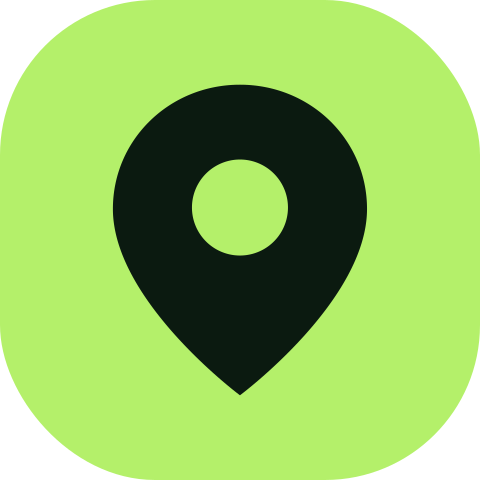
A location pin cut into a rounded tile, beside the name in Figtree 800.
Colour
- Lime#B4F06A
- Forest#0F241A
- Charcoal#0B100E
- Go#136F34
- You#1663C7
- Background#F3F5F2
Green-led, with one bright accent that always means “go”.
Type
Aa
Figtree
400 / 500 / 600 / 700 / 800
Welcome to UniFind
Voice
“Find your place. Find your people. Find your way around campus.”
Welcome
“CSC 301 · LT 4 · 9:00 · 7 min walk”
Next class
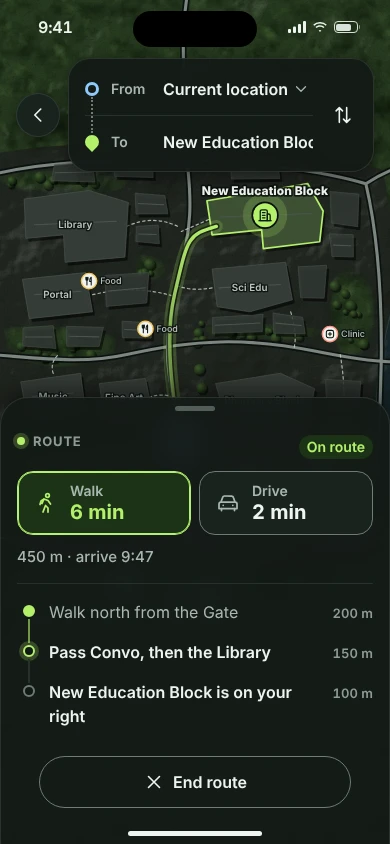
“Pass Convo, then the Library.”
Directions
Mobile
app
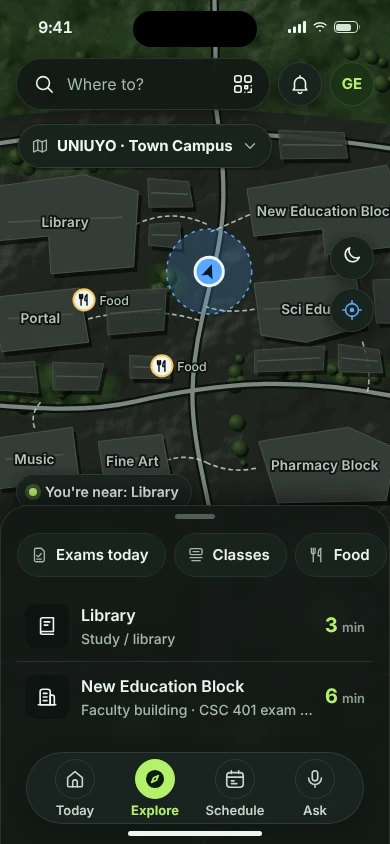
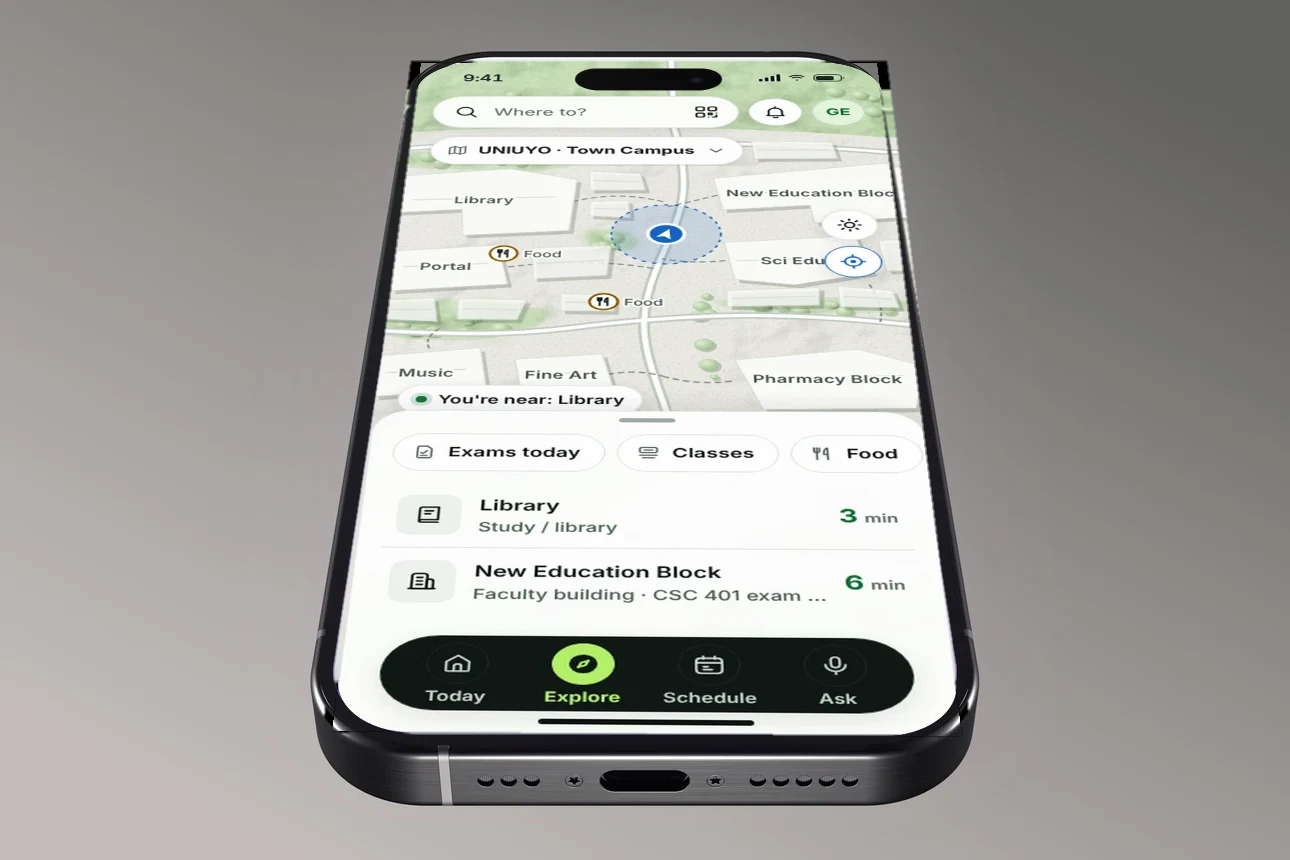
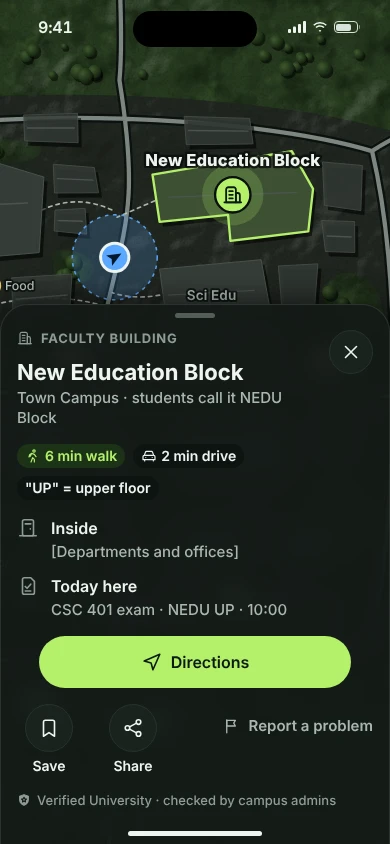
Four screens carry most journeys: explore, search, a place, and the route there.
Designed in a dark and a light theme, and built to stay quick on any phone.
Explore
The campus map, with what is near you and what is on today.
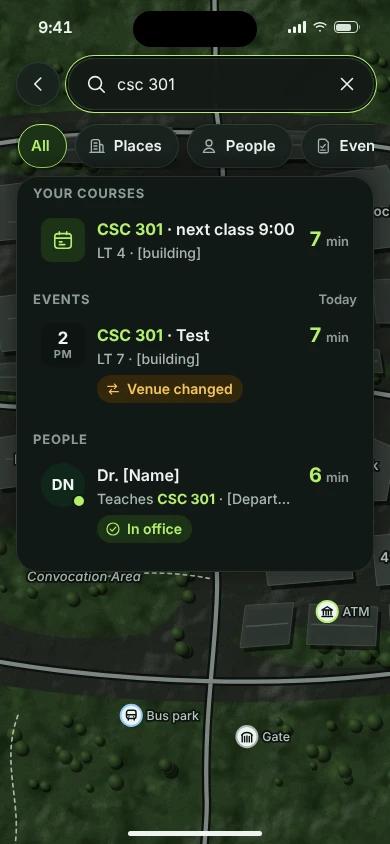
Search
One field finds courses, events, people and places, with walking time on each.
Place
What the building is, what students call it, and what is happening there today.
Route
Walk or drive, time first, with directions by landmark.
Product
Four tabs, one job: where you are, where you need to be, and how to get there.
A fifth tab, Admin, appears only for verified staff and businesses.
Today
Next class with walk time, what’s around you, verified changes.
Explore
Map, search, QR scan, Walk or Drive with separate times.
Schedule
Your day as time, place and walk time.
Ask
Answers from UniFind’s own data, nearest option first.
Trust
- 1
Official. University information, with a Verified University badge.
- 2
Verified roles. Staff, invigilators, class reps and businesses, each with a badge. Roles expire at the end of a semester or exam period.
- 3
Community. Reports from anyone, clearly labelled and kept apart until reviewed.
Revenue
Finding places, people and exam venues stays free. The first revenue borrows LagosLife’s in-map billboards: they show only on the zoomed-out map, outside the campus boundary, always labelled, and never during a route or on an exam card.
Process
- 01
Product brief, rewritten four times as the scope sharpened
- 02
Information architecture and core flows
- 03
Brand, design system and a custom icon set
- 04
High-fidelity screens in dark and light
- 05
Front-end build, shipped as a live web app
What’s next
- Map editor on satellite view
- Exams, events and staff presence
- More campuses and universities
Want something like this for your product?
Brand, app and launch film, designed and built by one person.